Posts

Showing posts with the label javascript

jqGrid get data from MVC Controller

So ever since MVC for asp.net started becoming all the rage, and for good reason! Many people have bemoaned the loss of the venerable DataGrid from WebForms. Well there are a few options out there. You have Teleriks Kendo UI suite which is great but costs money. There are a few other options but the best jqGrid a jQuery plugin. Now this grid can be a bit tricky to use. I personally find the documentation a bit short to put it politely. I've done enough grids now I'm getting the hang of it and want to share some pointers for other ASP.net MVC developers out there. Now let's assume in your View you have a nice jqGrid pointed to a controller action (I'll make another post about this as well). jqGrids are very powerful and support paging, grouping, filtering, sorting, etc. Now the bad part is you have to handle all that in your controller. This controller action will show you have to sort, page, and generally retrieve data. Now for the jqGrid to work correctly it needs ...
Kendo UI grid update row using Javascript/jQuery

I've been working on a project that utilizes the Telerik Kendo UI grid. I've found that I have a need to change the values in the current row using client side tech (Javascript/jQuery). It's actually pretty easy to do. You get the grid, then the model bound to the grid and change the values on the model. This will refresh the values in the grid on the client side. You can save these new values in the Update controller action you define in the grid. // get the grid and model used to bind against the grid var grid = $("#AdminFalloutMappingGrid").data("kendoGrid"), model = grid.dataItem(this.element.closest("tr")); // get a value from the model, using the property name on the model var something = model.get("PropertyName"); // update the model using the Property Name model.set("PropertyName", "value");

ASP.net MVC Ajax.BeginForm with busy icon

So I've been exploring the world of MVC and found it's pretty easy to do a postback to a controller and do it with AJAX and show a busy icon and keep the user from pressing the submit button. This is MVC 5 with the Razor rendering engine. Below is the entire section: <div id="divSendEmail"> @using ( Ajax.BeginForm( "SendEmail", "Contact", new AjaxOptions { UpdateTargetId = "result", LoadingElementId = "loading", OnBegin= "sendEmailLoad()", OnComplete= "completeSendEmailLoad()" } ) ) { <div id="loading" style="display: none; position: absolute; top: 50%; left: 50%; margin-top: -50px; margin-left: -50px; width: 100px; height: 100px;"> <img src="~/Content/images/gears_animated.gif" /> </div> <fieldset> Name: <input type="text" class="form-...

ASP.NET Create Javascript Alert on Server Side

Many times in ASP.net you find yourself needing to create an alert on the client side but you're processing on the server side. The trick is to register a Javascript to the client from the server. I have found a nifty way of creating a class that will allow you to do this. public static class ClientMessageBox { public static void Show(string message, Control owner) { Page page = (owner as Page) ?? owner.Page; if (page == null) { return; } page.ClientScript.RegisterStartupScript(owner.GetType(), "ShowMessage", string.Format("<script type="text/javascript">;alert('{0}')</script>", message)); } } // Example of using class and method protected void Page_Load(object sender, EventArgs e) { ClientMessageBox.Show("Hello World", this); } You can now call ClientMessageBox.Show('text', this ); anywhere server side and get a ...

Using google maps API for driving directions

Image
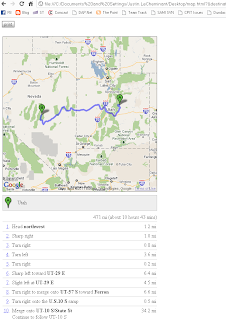
This is a bit different than my usual blog postings but I think it will help a lot of people.  I recently have found a need to generate a Google Map with driving directions based on some customer input.  After a few hours looking over some javascript API's I found a very simple solution on Google.com itself.  There are a few different versions of the API and this solution uses version 2.0.  I believe the current version is 3.0.  I have no clue when if ever they will deprecate the API but it could happen.  They also state if you call this service more than 2,500 times a day you will get banned so don't abuse the service.  My use is light at best maybe once or twice a day.  I have found it to be fairly fast and light weight. UPDATE!! Looks like Google wants you to have a key to use the maps. You will need to signup for a key here: http://code.google.com/apis/maps/signup.html It takes a few seconds and you will need to add the key to the que...

Bad programmer, Bad!

Ok so I posted some javascript for a numeric only textbox and it wasn't working. Someone posted a comment about it so I took a look at it. Sure enough the whole thing was boned. Hopefully I didn't lead anyone astray or anything. So I fixed the script and tested it and found it works now. So if anyone wants to read the new script it's over here: JavaScript post

Javascript numeric only text box

So working on an asp.net page I found I needed a numeric only text box that allowed numbers from 0-100 with no decimals. I found a range validator would do most of the work but I wanted to keep users from typing in bad values. So after some searching I found javascript has a good solution. I like whitespace so shrink if you're one of those white space freaks. Update: someone was kind enough to point out an error in my JS! So I went through and made sure it works. And it did need a minor tweak to be correct. So thanks to the poster the corrected script and usage are below. Update Again: This is the new and improved function to allow for the tab key to tab out of the text box. IE allows this by default however Firefox really tightens down the text box and doesn't allow anything you don't specify. So I had to add the tab key press. I also cleaned up the code so it isn't a huge chunk of if blocks and is now much more succinct. Please feel free to test and us...