Visual Studio Tips & Tricks - Part One Formatting
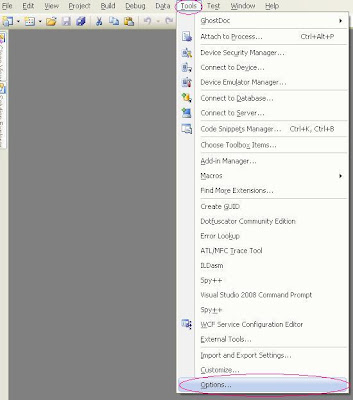
This is a departure from my regular blogging about code but I find that there are many little tips and tricks you can use in VS that make it easier to use. Not that it's a bad product but there are little things that can allow you to work faster and be just a bit more productive with less effort. As a very lazy coder I find that invaluable. This post or series of posts will cover a wide variety of things but hopefully it will help some people out. First let's mess with some options in Visual Studio. The first thing I do in VS is to turn on word wrap and line numbers. To access these you need to get into the options. So in the main menu select Tools -> then options This will bring up an Options dialog box with a tree view on the left with a whole slew of options. For now we're going to focus on the Text Editor section. Expand the Text Editor node and select the language you are interested in. I have selected C# here for my example. On the right hand side you wil...